
How to Track a Failed Bank Transfer in Nigeria
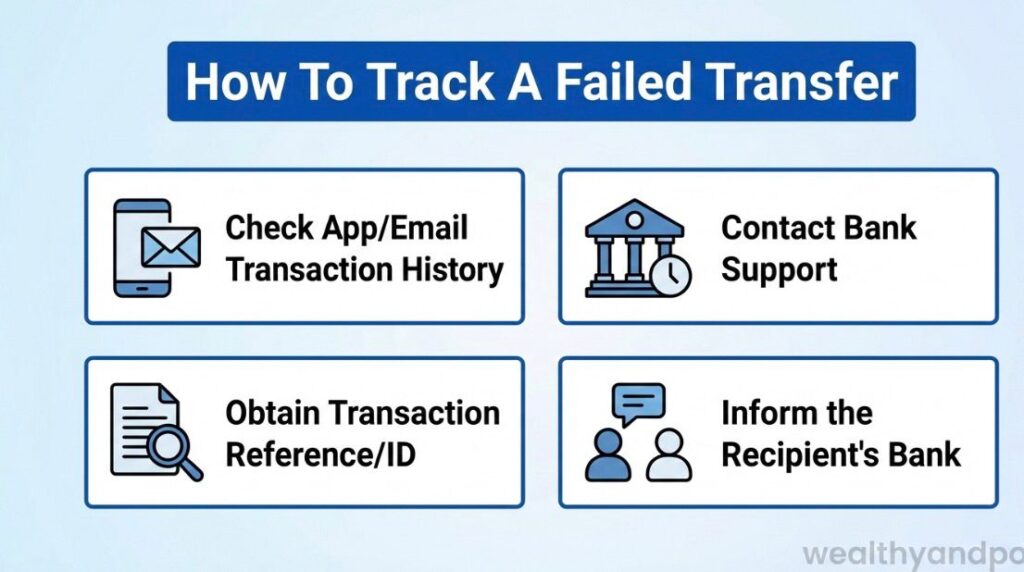

Bank transfers in Nigeria are meant to be fast and convenient, but sometimes they fail especially when you see money deducted from your account yet the recipient never receives it. This isn’t just frustrating it can also be confusing and worrisome.
Thankfully, with the right steps, you can track the failed transfer and get your money back.
This article will explain how to track a failed transfer, what documents and information you need, whom to contact, and how long it may take all with clear steps and explanations grounded in Nigerian banking realities.
- Stay Calm and First Confirm What Happened:
The first thing to do when a bank transfer appears to fail is not to panic.
Sometimes a transfer looks like a failure but is simply “pending” or delayed in the system. Before you start tracking: - Check your app or online bank statement to confirm whether the debit actually happened :
Look for messages like “failed”, “pending” or “processing” before assuming the money is lost. Some banks record the transaction differently when it hasn’t fully gone through yet.
Taking this simple step helps you avoid unnecessary complaints if the transfer was already in progress.
- Collect All Relevant Transaction Information
Before you track a failed transfer, gather evidence. This is crucial because banks use these details to trace funds through their systems:
- Transaction reference number (often a long alphanumeric code)
- Date and time of the transfer
- Amount transferred
- Sender and recipient account numbers
- Screenshots or SMS alerts showing the debit or error message
These pieces of information become your proof of transaction and are often needed by both banks and regulators to locate the funds.
Identify the Type of Transfer :The method you used to send the money matters for how to track it.
- USSD or Mobile App Transfer
These usually generate a session ID or transaction reference, which you can find in your transaction history or receipt keep it safe. - ATM or POS Transfer :
If you used an ATM or a POS (Point of Sale) terminal, keep the printed ATM slip or POS receipt even if it shows “failed”. This will make the trace easier. - Check Your Bank’s App or Website First
Most Nigerian banks allow you to check the status of a transfer directly: - Mobile Banking App: Go to your transaction history and find the specific transaction.
- Internet Banking: Look under Statements or Recent Transactions.
SMS Alerts: If you received an SMS showing “failed” or “pending”, keep the text.
Some banks might show whether the transfer is still in process, reversed, or settled, which helps clarify the next step. - Contact Your Bank’s Customer Service :
If the money was debited and not received, the next step is to report the issue to your bank. Most banks in Nigeria let you do this in a few ways: - Through Official Support Channels
In-app chat or help section - Official customer care phone numbers
- Verified email support
- Bank branch visit
When you contact the bank, provide them with:
- Your name and account number
- Transaction reference
- Amount and date/time of transfer
- Supporting screenshots or receipts
Always insist on getting a complaint or ticket number this becomes your official reference for follow ups.
Ask Your Bank to Run a Trace
Technically, what you’re doing when you “track a failed transfer” is asking the bank to run a trace on the transaction through its internal systems.
Banks use central payment switches like the Nigeria Inter-Bank Settlement System (NIBSS) Instant Payments (NIP) to settle transactions between different institutions.
If the money is stuck anywhere in the pipeline, that trace will help identify where it is and whether the receiver’s bank got it or if it needs to be reversed.
When you talk to the bank, clearly state:
- “Please run a trace using the transaction reference and confirm if my funds reached the recipient bank’s system or need a reversal.”
Understand Standard Reversal Timelines
Nigerian banking authorities have set guidelines for how long a bank should take to reverse a failed transfer although enforcement can vary:
- Same bank transfers often reversed within 24 hours
- Inter-bank transfers commonly 24 to 72 hours
- POS or ATM errors usually within a few days if a complaint is logged
These timelines aren’t guaranteed, but knowing them helps you judge whether your bank is taking too long.
Escalate to Regulators if Needed
If you have reported the failed transfer but the bank isn’t resolving it within a reasonable period (e.g., more than 3–5 days), you have the right to escalate.
- Central Bank of Nigeria (CBN) Consumer Protection
You can email the CBN’s Consumer Protection Department at: 📧 [email protected]
Include: - Your name and contact details
- Bank’s name and branch
- Complaint or ticket number
- Screenshots and proof of transfer
- Timeline of your follow-up efforts
CBN can intervene and push the bank to act, especially if their internal procedures are causing delays.
Keep Following Up
Patience and persistence matter.
Never delete transaction evidence, and always keep your complaint ticket number. A polite but consistent follow up message or call can help keep your case moving, especially if the bank’s support queue is slow.
A Final Note on Money Safety
A failed transfer doesn’t mean your money has vanished, Nigerian banks’ systems are interconnected, and there are processes designed to either complete or reverse the transaction. Tracking a failed transfer means navigating those processes with the right information and communication.












Comments