
Can You Upgrade Your Bank Account Online in Nigeria?

In 2026, banking in Nigeria is more digital than ever before. Whether you’re a student, a young professional, or a seasoned entrepreneur, you might wonder:
“Can I upgrade my bank account online?” With smartphones, banking apps, and online portals now part of everyday life, this question is not just convenient it goes to the heart of how Nigerians access financial services with speed, security, and independence.
In simple terms, upgrading your bank account means moving from one tier or limitation level to another for example, from a basic savings account with low limits to a fully verified account that lets you make larger transfers, access credit products, higher transaction limits, and other services. But can this be done fully online in Nigeria? Let’s explore what’s possible, what’s not (yet), and how different banks handle this in 2026.
What “Upgrading” Actually Means in Nigerian Banking
Banks in Nigeria generally use a tiered account system, shaped by regulations from the Central Bank of Nigeria (CBN) and anti money laundering policies. These tiers —often labelled Tier 1, Tier 2, Tier 3 define what you can and cannot do with your account.
For example:
Tier 1 accounts are basic — low balance limits, reduced utility.
Tier 2 accounts allow higher balances and more transaction freedom.
Tier 3 accounts are fully verified accounts with the least restrictions.
Upgrading an account often means moving from Tier 1 or Tier 2 to Tier 3 by submitting required documentation and identity verification.
Can You Upgrade an Account Online in Nigeria?
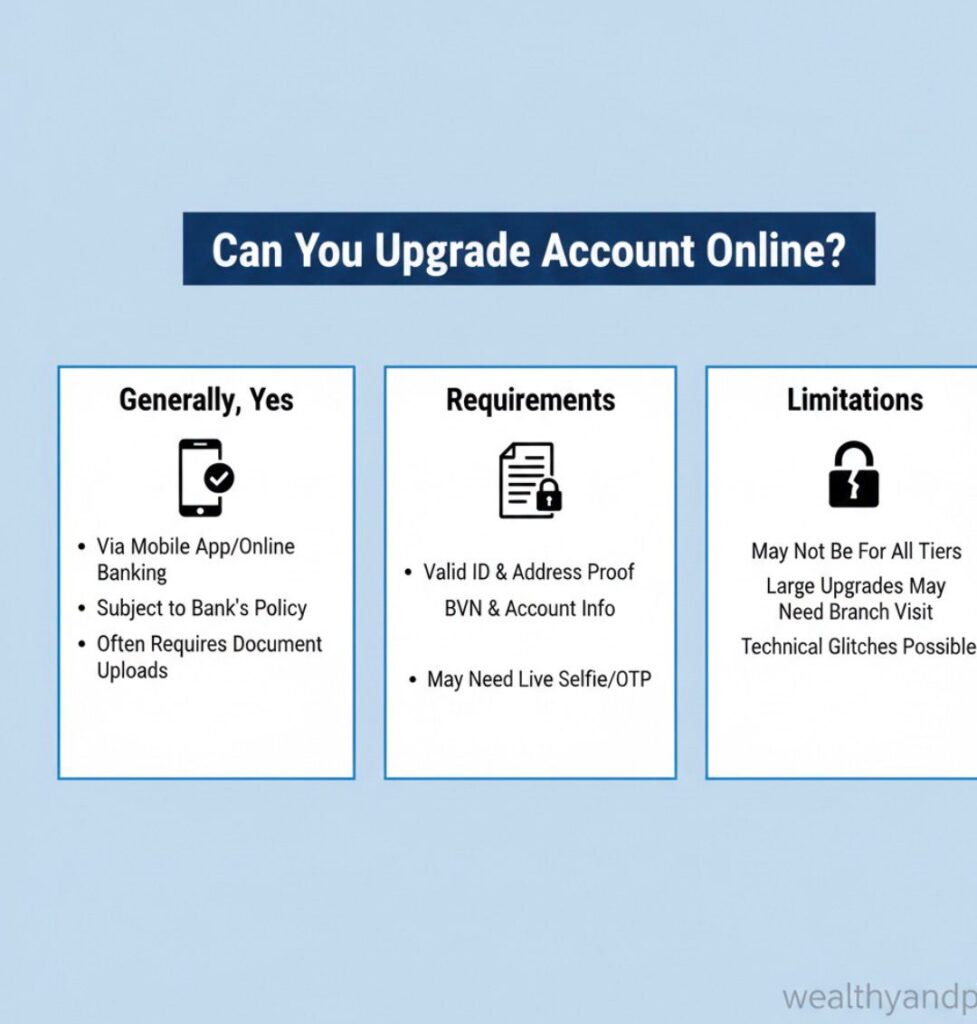
The short answer is Yes but it depends on the bank. Some offer full online upgrades, some offer partial online support, while others still require visits to branches or intermediaries.
Banks That Support Online Upgrades
These Nigerian banks allow remote or app based account upgrades without physically going to the bank:
- GTBank (Guaranty Trust Bank)
GTBank has a Self Service Portal on its website where customers can log in, select “Account Upgrade,” upload required documents and submit their request online. This allows a fully digital upgrade of KYC and tier status.
Steps (general overview):
- Visit the GTBank Self-Service Portal via browser
- Enter your account number + BVN
- Choose the tier you want
- Upload scanned documents (e.g., ID, proof of address)
- Submit and wait for confirmation from the bank
This process typically takes 24 – 72 hours pending verification.
- Sterling Bank (One Bank App & Online Portal)
Sterling Bank supports account upgrades through its One Bank mobile app and online form upload process. Customers can upload ID, utility bills and complete forms remotely.
- V Bank / V- App and Similar Digital Banks
Some digital first banks like V Bank allow profile updates and tier upgrades directly within their mobile app, including uploading documents like NIN and valid ID proofs.
Banks That Usually Do Not Allow Full Online Upgrades
Some major banks in Nigeria, as of current policies, do not allow uploading all required documents fully remotely and still require at least one branch interaction:
- First Bank – upgrade requires branch visit or assistance from a relationship officer.
- Zenith Bank – online process cannot be completed fully online; you must download forms and submit physically.
- Fidelity Bank – no full online upgrade feature; supports branch visit or customer service guidance.
Even when the upgrade request begins online (e.g., by downloading forms or initiating contact), final identity verification sometimes requires physical presence.
How Online Upgrades Work — Bank by Bank
Below is a more practical breakdown of how some banks handle online upgrades:
GTBank
- Self-Service Portal for remote upload and upgrade
- Upload ID, proof of address, passport photo
- Online verification via OTP to linked phone
- Higher tier unlock and limits after approval
Sterling Bank (One Bank)
- Upgrade via One Bank app or online form
- Upload required scanned documents
- Submit for bank review and approval
Access Bank
- Access More app allows upgrades for transaction limits, but full KYC upgrade may still require branch verification.
Digital Banks (e.g., V Bank, Kuda)
- All or most of the verification can be done in-app
- BVN/NIN, ID upload, selfie verification
- Tier level automatically updated after approval
Key Requirements for Online Upgrades
Even when upgrading online, you typically need:
- Bank Verification Number (BVN) mandatory in most cases
- Valid Means of Identification (Passport, National ID, Driver’s License)
- Proof of Address (Utility bill, tenancy agreement, bank statement)
- Recent Passport Photograph or Selfie with ID
- Scanned or Clear Digital Document Uploads
Some banks may also ask for additional forms like a completed upgrade form or secondary verification documents.
Pros and Cons of Upgrading Online
Advantages
- Convenience to do it from your phone or laptop
- Saves time and transport cost
- Faster turnaround (often within 1–3 business days)
- Accessible anywhere you have internet
Challenges
- Not all banks offer this some still require branch visits
- Document format or quality issues can cause delays
- Missing BVN or mismatched data leads to rejection
- Security concerns if using public networks
Final Thoughts
The Digital Future of Nigerian Banking
In 2026, online account upgrades in Nigeria are possible, but not universally available across all banks.
Some banks especially those with strong digital infrastructure allow customers to complete upgrades entirely online, while others still require partial or full branch interaction.
Before starting the process: Check your bank’s official website or mobile bank app
Ensure your BVN and NIN are linked and correct
Prepare clear scans of all required documents
Use secure internet and official bank platforms
With the right preparation and understanding of your bank’s policies, upgrading your account online can be straightforward, efficient, and ultimately empowering allowing you to unlock the full potential of your Nigerian bank account.












Comments