
Palmpay Transfer Limit Nigeria
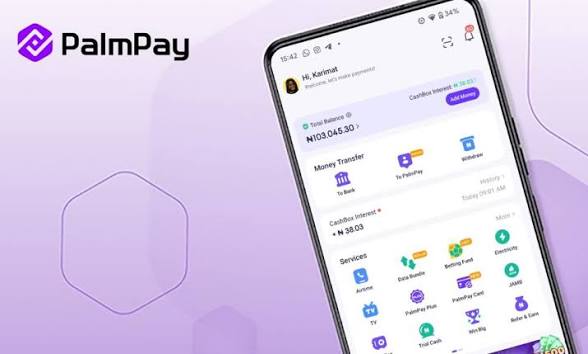

PalmPay is a fast-growing mobile financial service platform in Nigeria that allows users to send and receive money, pay bills, buy airtime, and access other financial services directly from their smartphones. It operates under Nigerian financial regulations and uses a tiered account system to control transaction limits.
Understanding the transfer limits on PalmPay is essential for anyone using the app for daily transactions, business payments, or savings. Whether you’re sending money to friends, paying bills, or running a small business, knowing your transaction boundaries helps you plan better and avoid failed transfers.
PalmPay Transfer Limits in Nigeria
PalmPay uses a tier-based system where your transaction limit depends on your account verification level. The more verified your account is, the higher your transfer limit.
Tier 1 (Basic Account)
This is the default account level when you sign up with just your phone number:
- Daily Transfer Limit: ₦50,000
- Maximum Wallet Balance: ₦300,000
- Requirements: Phone number only
This tier is ideal for light users who make small daily transactions.
Tier 2 (Intermediate Account)
To move to this level, you need to verify your identity.
- Daily Transfer Limit: ₦200,000
- Maximum Wallet Balance: ₦500,000
Requirements:
- Bank Verification Number (BVN)
- Basic personal details
This level suits regular users who need higher flexibility for transfers and bill payments.
Tier 3 (Fully Verified Account)
This is the highest level with maximum access.
Daily Transfer Limit: ₦1,000,000 (or more, depending on updates)
Maximum Wallet Balance: ₦1,000,000+
Requirements:
- BVN verification
- Valid government-issued ID
- Address verification
This tier is best for business owners and heavy users handling large transactions.
Key Things to Know About PalmPay Transfer Limits
1. Daily Limits Reset Every 24 Hours
Your transfer limit resets daily, meaning you can send the maximum amount again the next day.
2. Per-Transaction Limits May Apply
Even within your daily limit, PalmPay may restrict how much you can send per single transaction.
3. Limits Apply to All Transfers
The limits cover:
Bank transfers
PalmPay-to-PalmPay transfers
Payments and withdrawals
How to Increase Your PalmPay Transfer Limit
If your current limit is too low, upgrading your account is straightforward:
- Open the PalmPay app
- Go to your profile/settings
- Click on “Upgrade Account”
- Provide required details (BVN, ID, address)
- Submit for verification
Once approved, your transfer limit will automatically increase.
Why PalmPay Has Transfer Limits
Transfer limits are not random they serve important purposes:
- Security: Prevent fraud and unauthorized transactions
- Compliance: Meet regulations set by financial authorities
- User Protection: Reduce financial risk in case of account compromise
Common Issues With PalmPay Transfer Limits
Transfer Failed Due to Limit Exceeded
This happens when:
- You’ve reached your daily cap
- You attempted a transaction above the allowed single limit
Solution: Wait for the next day or upgrade your account.
Verification Delays
Sometimes upgrades take time due to verification checks.
Solution: Ensure your BVN and ID details match exactly.
Tips to Manage Your Transfer Limits Effectively
- Upgrade your account early if you handle large transactions
- Split payments if you hit per-transaction limits
- Monitor your daily usage to avoid failed transactions
- Keep your account fully verified for maximum flexibility
Conclusion
PalmPay transfer limits in Nigeria depend largely on your account verification level. While basic users are limited to smaller daily transactions, fully verified users enjoy significantly higher limits suitable for both personal and business use.
To get the best out of PalmPay, it’s advisable to complete your verification and unlock higher transfer capabilities. This ensures smoother transactions, fewer interruptions, and better financial control.












Comments