
Why Your Bank Balance Is Not Updating
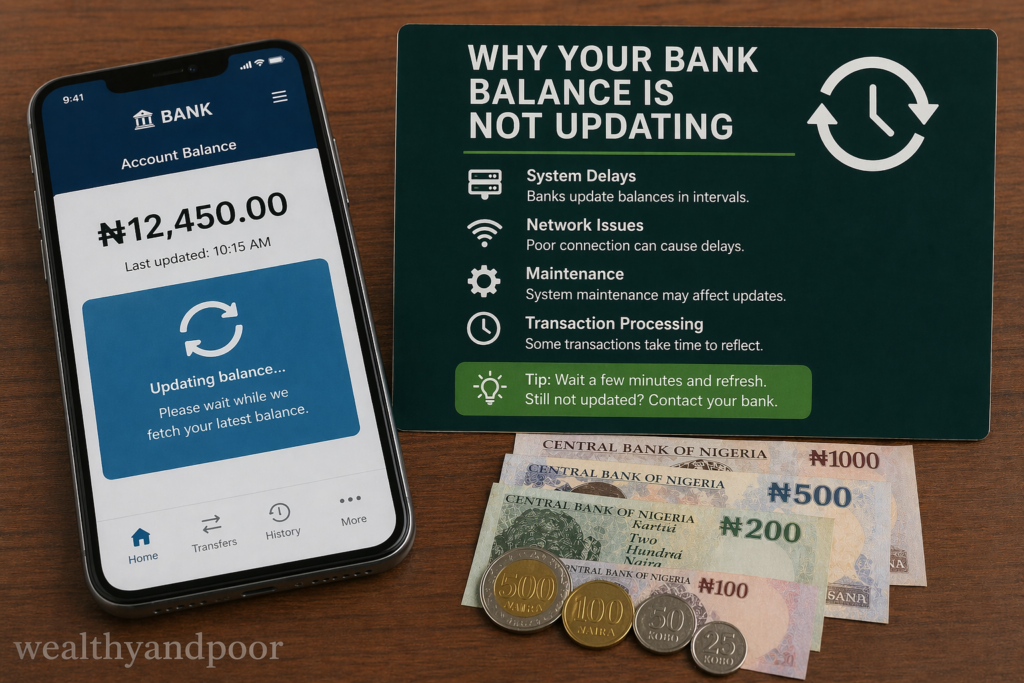

In today’s fast moving digital economy, bank balances are expected to update instantly. Whether you’ve just received a transfer or made a payment, there’s an assumption that your account should reflect the change immediately. When it doesn’t, it can cause confusion, anxiety, and sometimes even panic.
However, a bank balance that refuses to update is rarely a sign that money has vanished. More often, it’s the result of how modern banking systems process transactions behind the scenes.
This article explains the key reasons your bank balance may not be updating and what you should do about it.
- Pending Transactions: Money in Limbo
One of the most common reasons your balance isn’t updating is pending transactions. When you make a payment or transfer, the bank first authorises it before fully completing it. During this stage, the money is temporarily set aside but not yet officially deducted or credited.
This is why you may see:
- An “available balance” that has changed
- But a “current balance” that remains the same
Pending transactions can take anywhere from a few hours to several days to fully clear, depending on the type of transaction and the institutions involved
- Banking Hours and Processing Cycles
Despite the rise of digital banking, many financial systems still operate on business-day schedules. Transactions made:
- Late in the day
- On weekends
- Or during public holidays
are often processed the next working day.
Banks also use batch processing, where transactions are grouped and settled at specific times rather than instantly. This creates a delay between when you initiate a transaction and when it reflects in your balance.
- Interbank Transfers Take Longer
If your transaction involves two different banks, delays are more likely. Unlike transfers within the same bank (which are often instant), interbank transfers require:
- Verification steps
- Settlement between institutions
- Confirmation from both sides
This process can take hours or even days in some cases before your balance updates fully .
- Network Failures and System Downtime
In countries like Nigeria, where digital banking relies heavily on shared infrastructure, system issues can affect balance updates. According to Nigeria Inter Bank Settlement System, transactions are designed to be fast, but real-world challenges still exist.
Common causes include:
- Network outages
- Bank server downtime
- System upgrades or maintenance
When these occur, transactions may be delayed or temporarily “stuck,” even though they have already been initiated.
- High Transaction Volume
Another overlooked factor is traffic on the banking system. During peak periods such as salary payment days, festive seasons, or weekends millions of users may be transferring money at the same time.
This surge can:
- Slow down processing queues
- Delay confirmations
- Cause temporary inconsistencies in balances
In extreme cases, you may even experience a “debit without credit” situation until systems reconcile transactions .
- Technical Glitches and App Issues
Sometimes, the issue isn’t with your money it’s with what you’re seeing. Mobile banking apps and online platforms can fail to display updated balances due to:
- Temporary software bugs
- Outdated app versions
- Poor internet connection
- Server synchronization delays
In such cases, your balance may actually be correct in the bank’s system but not reflected on your screen yet .
- Security Checks and Fraud Prevention
Banks don’t just process transactions they also verify them. Every transaction may go through:
- Fraud detection systems
- Identity verification checks
- Compliance reviews
These safeguards are essential, but they can slow things down. If a transaction is flagged for review, your balance may not update until the checks are completed .
- Delayed Alerts vs. Actual Balance
It’s also important to separate alerts from actual account updates. Sometimes:
- Your balance has already changed
- But the SMS or app notification arrives late
This is common in areas with poor network connectivity or during system congestion. The delay is in communication not in the transaction itself .
What You Should Do When Your Balance Isn’t Updating
If your bank balance seems stuck, here are practical steps to take:
- Check for pending transactions in your banking app
- Refresh or log out and back in to your account
- Confirm network connectivity on your device
- Wait for standard processing time (especially weekends or holidays)
- Contact your bank if the issue persists beyond 24–72 hours
- Most delays resolve themselves once the transaction completes its processing cycle.
Conclusion
A bank balance that isn’t updating can feel alarming, but it is usually a reflection of how financial systems work not a loss of money. Behind every transaction is a complex process involving verification, settlement, and system synchronization.
Understanding this helps reduce unnecessary panic and allows you to respond calmly and correctly when delays occur.












Comments