
How to Fix Declined Online Payments
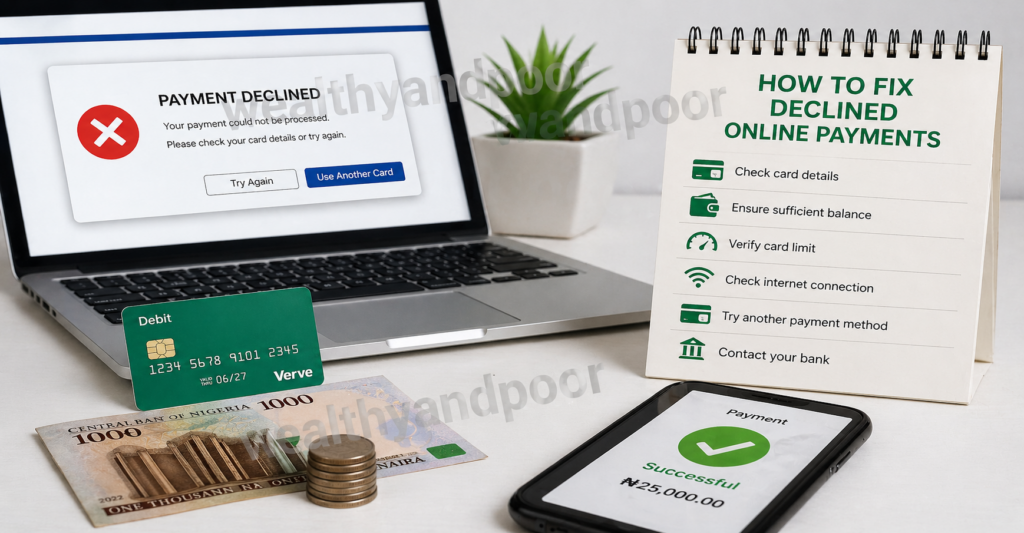

Online payments are designed to be fast and seamless, yet millions of transactions fail every day. For individuals and businesses alike, a declined payment can interrupt purchases, delay services, and create unnecessary frustration. But in most cases, the problem is not as complex as it appears. Understanding why payments fail and how to fix them can help restore smooth financial transactions within minutes.
Understanding Why Payments Get Declined
Before fixing a declined payment, it’s important to recognize a key fact: your bank or card issuer not the website is usually responsible for the decline.
Banks rely on automated systems that evaluate transactions based on spending patterns, account balance, location, and fraud risk. Even legitimate payments can be blocked if they appear unusual.
Some of the most common causes include:
- Insufficient funds or credit limit reached
- Incorrect card details (CVV, expiry date, billing address)
- Expired or inactive card
- Bank security or fraud protection triggers
- International transaction restrictions
- Temporary network or processing errors
In markets like Nigeria, additional factors such as foreign exchange controls, card usage limits, and cross-border payment policies can also contribute to declines.
Step-by-Step Guide to Fix Declined Payments
- Double-Check Your Payment Details
This may sound obvious, but small errors are one of the leading causes of failed transactions. A single wrong digit in your card number or CVV can result in an instant decline.
Make sure to verify:
- Card number
- Expiry date
- CVV code
- Billing address (must match bank records exactly)
Even a mismatch in address formatting can cause rejection.
- Confirm You Have Enough Funds
Declined payments often happen because of insufficient balance or available credit.
Check for:
- Pending transactions reducing your available balance
- Daily spending limits
- Hidden holds placed by merchants
Sometimes your account may show money, but it’s not “available” for spending.
- Contact Your Bank Immediately
If everything looks correct, your next step should be contacting your bank.
Banks frequently block transactions automatically when they detect:
- Unusual spending patterns
- New merchants or platforms
- Foreign or online transactions
A quick call or in-app approval can instantly resolve the issue.
- Enable Online and International Transactions
Many debit cards especially in developing markets have restrictions on online or international usage.
Ask your bank to:
- Enable online payments
- Allow international transactions
- Lift temporary restrictions
This is especially relevant when paying for global services like subscriptions or digital products.
- Complete Required Authentication (3D Secure)
Some payments require extra verification, such as a one time password (OTP) sent to your phone.
If you skip or fail this step, the payment will be declined automatically.
Modern systems like 3D Secure are designed to reduce fraud but can interrupt payments if not completed properly.
- Try a Different Payment Method
If your card continues to fail, consider alternatives such as:
- Another debit or credit card
- Bank transfer
- Mobile wallets or fintech apps
Sometimes the issue is specific to one card or issuer, not your account as a whole.
- Wait and Retry
Temporary glitches in payment networks do happen.
If the issue is caused by:
- Server downtime
- Payment gateway errors
- Network interruptions
Waiting a few minutes and retrying can solve the problem.
- Check for Fraud Alerts or Blocks
Banks may silently block a transaction if it appears suspicious.
Look out for:
- SMS or app notifications asking for confirmation
- Emails about unusual activity
Approving the transaction usually clears the restriction immediately.
Preventing Future Payment Declines
Fixing a declined payment is helpful, but preventing it is even better. Here are practical tips:
- Keep your card details updated
- Maintain sufficient account balance
- Notify your bank before large or unusual transactions
- Use trusted and secure payment platforms
- Avoid multiple rapid transactions that may trigger fraud systems
Consistency in your transaction behavior helps banks “trust” your activity over time.
The Bigger Picture
Declined online payments are not always a sign of a problem they are often a sign that security systems are working. Financial institutions prioritize fraud prevention, sometimes at the expense of convenience.
For users, the solution lies in understanding how these systems operate and responding quickly when issues arise. In most cases, a declined payment can be resolved in minutes with the right steps.
Conclusion
A declined online payment can feel like a setback, but it is rarely permanent. Whether the issue stems from incorrect details, bank restrictions, or security checks, there is almost always a straightforward fix.
By verifying your information, communicating with your bank, and using alternative methods when necessary, you can regain control of your transactions and avoid future disruptions.












Comments