
Virtual Card Declined|Causes & Fixes
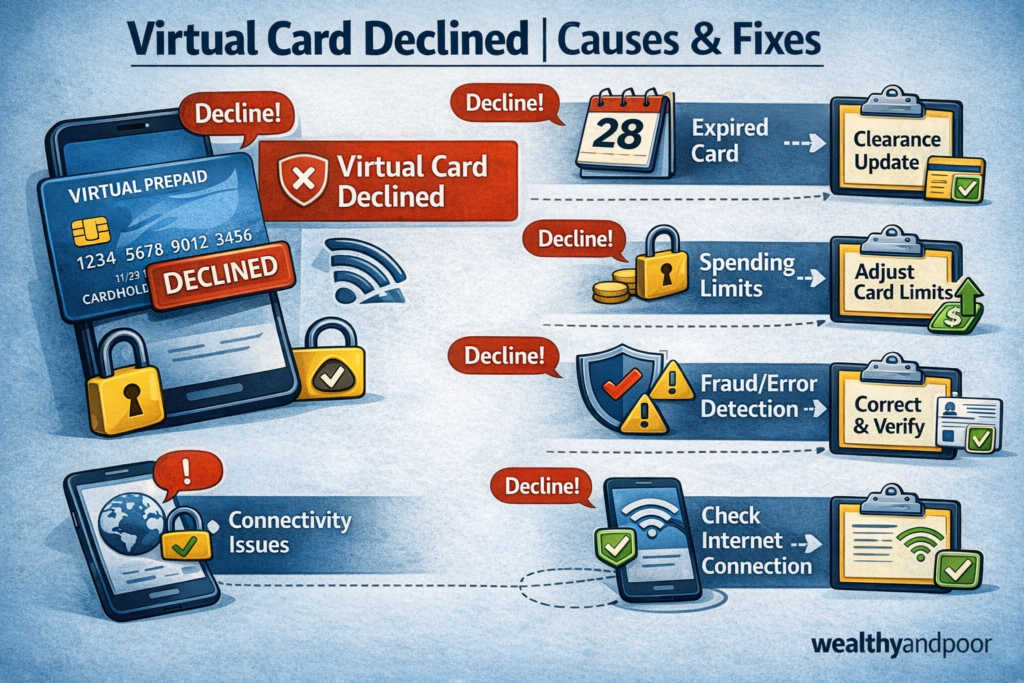

Virtual cards have become a go to payment option for online shopping, subscriptions, and international payments. From Netflix and Spotify to Facebook Ads and cloud services, many people now rely on virtual cards instead of physical debit cards.
So when a virtual card gets declined, it can be frustrating especially when you’re sure there’s money on it.
The truth is, a declined virtual card doesn’t always mean something is “wrong.” Most times, it’s caused by specific technical, security, or merchant side restrictions. This article explains why virtual cards get declined and what you can do to fix each issue.
- Insufficient Balance on the Virtual Card
This is the most common cause.
Virtual cards are usually preloaded, meaning they only work if there’s enough balance on the card itself not just in your main wallet or bank account.
What often happens:
- The card balance is lower than the transaction amount
- Currency conversion fees push the total cost higher
- Subscription prices increase without notice
Fix:
- Check the exact balance on the virtual card
- Add extra funds to cover fees and exchange rates
- For subscriptions, always leave a buffer amount
- Currency or Region Restrictions
Some virtual cards are limited to specific regions or currencies.
Examples:
- A USD virtual card trying to pay a merchant that only accepts EUR
- A Nigerian issued virtual card blocked on certain international platforms
- Merchants that restrict cards from specific countries
- Many global platforms now enforce regional payment rules due to fraud prevention.
Fix:
- Confirm the card’s supported currencies
- Use a USD card for international platforms when possible
- If the platform blocks cards from your region, try a different merchant friendly card provider
- Merchant Does Not Support Virtual or Prepaid Cards
Not all merchants accept virtual cards even if they accept Visa or Mastercard.
Common platforms that sometimes decline virtual cards:
- Some airline websites
- Certain hosting services
- High-risk merchants (crypto, betting, ads)
These platforms may only accept physical or postpaid debit cards.
Fix:
- Check the merchant’s payment policy
- Use a physical debit card if required
- Try another virtual card provider with better merchant coverage
- Incorrect Card Details Entered
This sounds obvious, but it’s surprisingly common.
Issues include:
- Wrong card number
- Incorrect CVV
- Expired virtual card
- Using an old card that has been regenerated
Virtual cards can be regenerated for security, which invalidates the old details.
Fix:
- Re-copy the card details directly from the app
- Confirm the card expiry date
- Make sure autofill isn’t inserting old information
- Card Has Been Temporarily Blocked or Frozen
Virtual cards may be automatically blocked if:
- There are multiple failed payment attempts
- Suspicious transactions are detected
- The card is linked to a flagged account
Some platforms freeze the card silently to protect users.
Fix:
- Check your app for card status (active, frozen, blocked)
- Unfreeze the card if the option is available
- Contact customer support if the block isn’t user controlled
- Subscription or Recurring Payment Issues
Subscriptions are a major cause of virtual card declines.
Common problems:
- Insufficient balance during auto-renewal
- Card expired or regenerated
- Merchant retrying a failed charge multiple times
Once a subscription fails, some platforms automatically stop retrying.
Fix:
- Fund the card before the renewal date
- Update card details on the subscription platform
- Restart the subscription manually
- Network or Payment Processor Errors
Sometimes, the issue isn’t your card at all.
Payment processors can fail due to:
- Temporary network outages
- Bank-side downtime
- Merchant server issues
These failures often show generic error messages like “Payment failed” or “Card declined.”
Fix:
- Wait a few minutes and try again
- Try a different browser or device
- Attempt payment during off-peak hours
- Card Provider Restrictions or Policy Limits
Virtual card providers impose internal limits such as:
- Daily or monthly spending caps
- Merchant category restrictions
- Maximum transaction size
If you hit any of these limits, the card will be declined even if there’s money on it.
Fix:
- Check the card’s spending limits
- Upgrade your account tier if required
- Contact support to confirm restrictions
What To Do Immediately When Your Virtual Card Is Declined
- Confirm card balance and currency
- Double check card details
- Retry the transaction once or twice
- Check if the merchant accepts virtual cards
- Contact your card provider’s support
- Avoid repeated failed attempts they can trigger automatic blocks.
Final Thoughts
A declined virtual card doesn’t mean your money is gone or your account is broken. In most cases, it’s caused by balance issues, merchant restrictions, regional limits, or security checks.
Understanding how virtual cards work and their limitations can save you stress and help you fix problems quickly when they happen.












Comments