
Why Bank Transfers Fail Despite Good Network

Bank transfers have become an essential part of daily life in Nigeria from paying bills and school fees to sending money to family or businesses. Yet, many Nigerians experience failed transfers even when their phone or internet seems perfectly fine. This can be confusing, frustrating, and sometimes stressful.
In this article, we take a closer look at the real reasons transfers fail, why “good network” isn’t always the only factor, and how the banking system in Nigeria works behind the scenes.
What Does “Failed Transfer” Really Mean?
When you initiate a transfer whether through a bank’s mobile app, USSD code (like *901#), internet banking, POS, or ATM you send a request to move funds from your account to another. A successful transfer means the recipient’s account was credited and everything finished correctly.
But a failed transfer occurs when something goes wrong along the way. Sometimes the money is never deducted. Other times you see your account debited but the recipient never gets the funds. Typically, in Nigeria, the banking network will automatically reverse the money back to your account when a failure happens though that can take time.
Why Transfers Fail Even If Your Phone Has Signal
It’s easy to assume that if your mobile data or airtime signal is strong, the transfer should work. But the truth is multiple systems must interact successfully before a transfer completes, and your network is just the first piece of that journey.
Here are the common reasons:
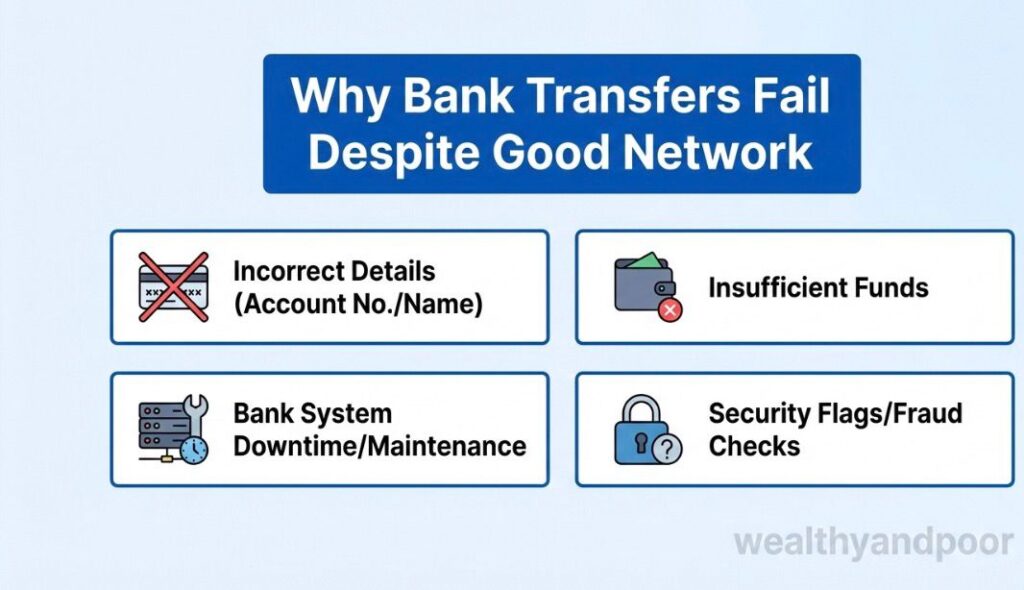
- Bank System Downtime and Maintenance :
Banks periodically update or maintain their core systems especially late at night, weekends, or holidays. During these windows, some features (including transfers) can appear to hang, time out, or fail completely.
This is not about your network; it’s about the bank’s internal systems being temporarily unavailable or slow during updates.
- Shared Banking Infrastructure Issues (e.g., NIBSS):
Most inter bank transfers in Nigeria go through a central clearing platform known as the Nigeria Inter Bank Settlement System (NIBSS). When NIBSS experiences delays, high volume, or glitches, the transfer may not complete even if you started it successfully.
If this system hiccups, the transfer can fail or be delayed not because your network dropped, but because the banks couldn’t communicate properly.
- Peak Traffic and Congestion
Banks have peak hours like salary days, evenings, and weekends when millions of Nigerians are transacting at the same time.
Even strong networks can’t fix server congestion on the bank’s end. When too many requests hit the system at once, some transfers can be delayed or rejected by the servers.
- Session Timeouts (Especially with USSD):
USSD banking relies on timed sessions. If you take too long to respond (for example, entering details or PINs slowly), the session may expire even if your mobile signal stays stable.
That will result in a failed transaction even if you see “good network bars.”
- Backend Integration Problems:
Transfers between banks require seamless communication between different systems your bank, the receiving bank, and third party processors or switches.
If one of these systems isn’t responding promptly (due to slow integration, outdated servers, or partial downtime), the transfer can fail.
- Automatic Limit Resets and System Resets :
Some banks reset daily limits at midnight. If your transfer hits exactly when the system is resetting limits or running end-of-day processes, it may fail temporarily even though your network isn’t a problem.
Common Misconceptions About Failed Transfers
Here are a few things many users misunderstand:
- Good network guarantees a successful transfer;
Not true. Your signal only ensures your phone can talk to the bank app or USSD menu. It doesn’t guarantee that the bank’s backend systems, clearing platforms, or recipient bank are all functioning properly at that moment. - If money is deducted and then the transfer fails, it’s lost;
Thankfully, no. Nigeria’s banking systems (especially for NIBSS based transfers) are designed to reverse failed transactions automatically usually within 24 to 72 hours. The exact timing depends on the bank and the channel used. - Transfers fail only because of poor internet or mobile signal ;
While poor internet can interrupt communication with the bank’s front end (like the app), most real failures stem from backend system issues things your network doesn’t control.
What You Can Do When a Transfer Fails
Here are practical steps that help you navigate the process when a transfer doesn’t go through:
- Keep Transaction Details
Always save: - Transaction reference number
- Amount
- Date and time
- The channel used (USSD, app, internet banking)
This information speeds up resolution when you contact your bank.
- Wait for a Reversal :
Most banks automatically reverse the failed transfer within a maximum of 72 hours. Don’t retry the transaction too quickly no doing that can create duplicate debits. - Report to Your Bank Support
If the money hasn’t returned after the expected period, report it through the bank’s complaint channel (app, call centre, or branch). Provide your reference number and details so they can trace and fix it. - Avoid Transfers During Known System Updates:
Try to avoid initiating transfers late at night, Sundays, or during known maintenance windows if possible these are common times when systems are being updated or settled.
Final Thoughts:
The Real Cause Is Often Behind the Scenes
While a strong mobile data signal or good network strength is important, it doesn’t guarantee a successful transfer in Nigeria. Behind every bank transfer are complex systems including:
The bank’s internal servers and software
The central clearing platform (like NIBSS)
Communication with other banks
Daily processes and maintenance routines
If any of these systems hiccup no matter how good your network is the transfer can fail.
Understanding this helps you avoid frustration and know what steps to take next when a transfer doesn’t go through.











Comments